Sam's Club Receipt: How to Find a Lost One (and Why to Save Them All)
Lost a Sam's Club receipt? Pull it from your membership account in two minutes. Then save every one for three years. The IRS expects it.

Sam's Club Receipt: How to Find a Lost One (and Why to Save Them All)
You don't have to call Sam's Club or wait in line to find a lost receipt. Your Sam's Club membership ties every purchase to your account, in the club and on samsclub.com. Sign in on the website or the app, open your purchase history, and the receipt is there, ready to view or print. It takes two minutes.
The quick answer:
- Online (2 min): samsclub.com → sign in → your account → "Purchase History" → view, download, or print the receipt.
- Sam 's Club app (30 sec): sign in → "Purchase History" → tap the trip.
- Why it works: your membership ties every in-club and online purchase to your account.
How can I get a digital copy of a lost Sam's Club receipt?
Sam's Club keeps a digital trail of every member purchase, and that trail saves you when a receipt goes missing. Whether you need the receipt for a return or for your tax records, here's how to pull a copy of a lost receipt in about two minutes.
Step 1: Use the Sam's Club website or mobile app
You can use the mobile app or website to get a digital receipt.
Step 2: Log into your account
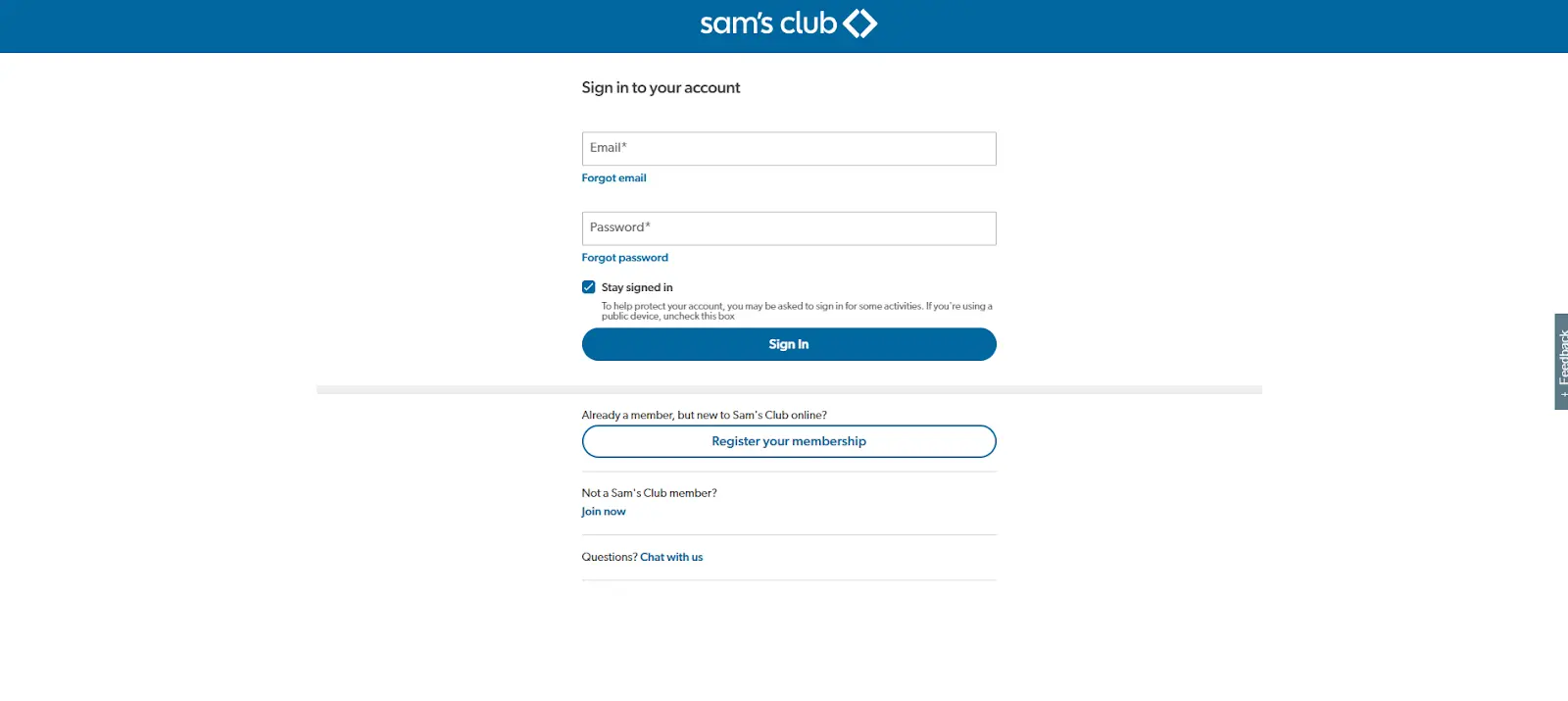 Step 2: sign in with your membership credentials.
You can go to the Sam's Club website or, open the mobile app and log in with your membership credentials.
Step 3: Navigate to purchase history
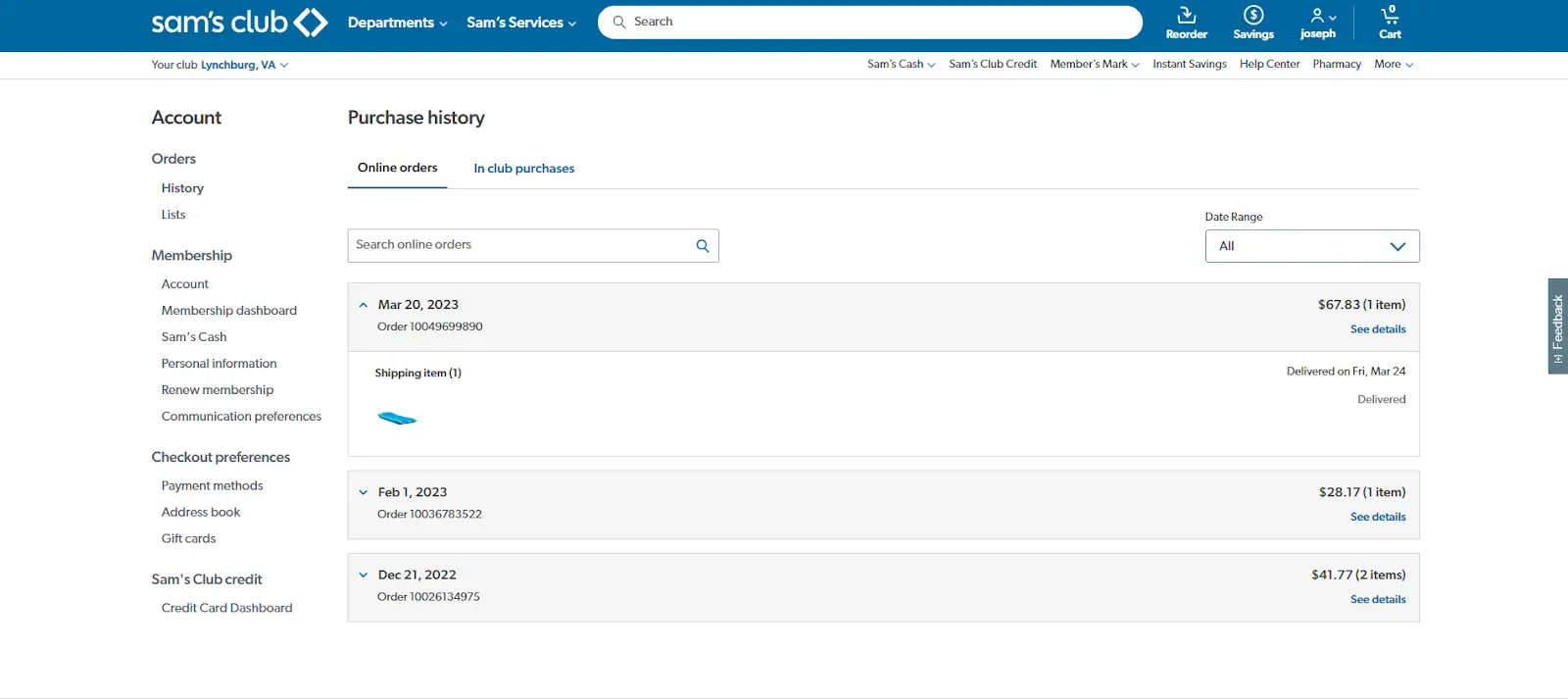 Step 3: open Purchase History under your account.
Once logged in, access the 'Account Information' or similar section and select 'Purchase History.' This section will display a list of all your past transactions.
Step 4: Locate the receipt
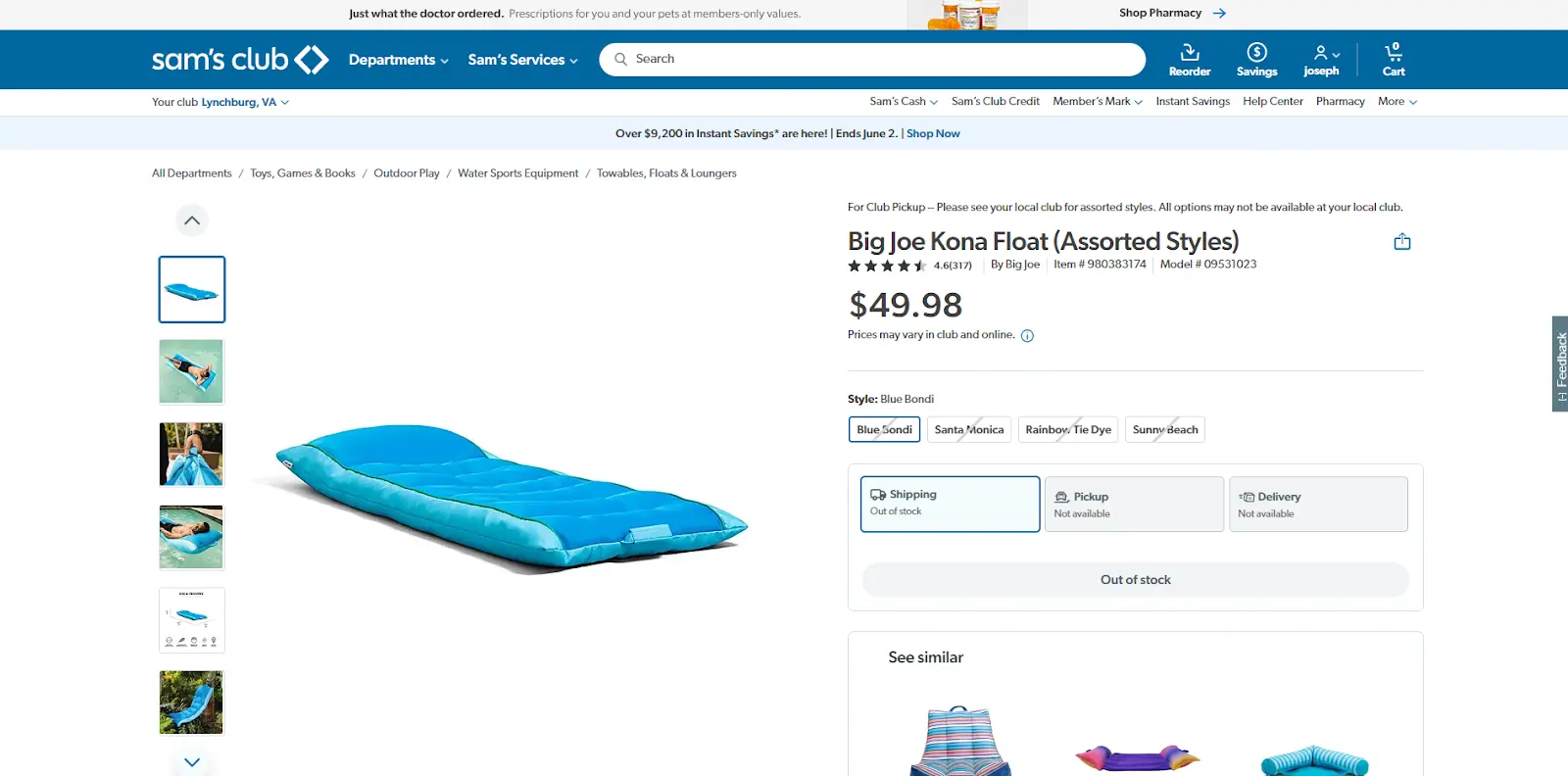 Step 4: find the transaction (filter by date if the list is long).
Find the transaction you need the receipt for. You can filter transactions by date or other details to help locate the specific purchase.
Step 5: Download or print the receipt
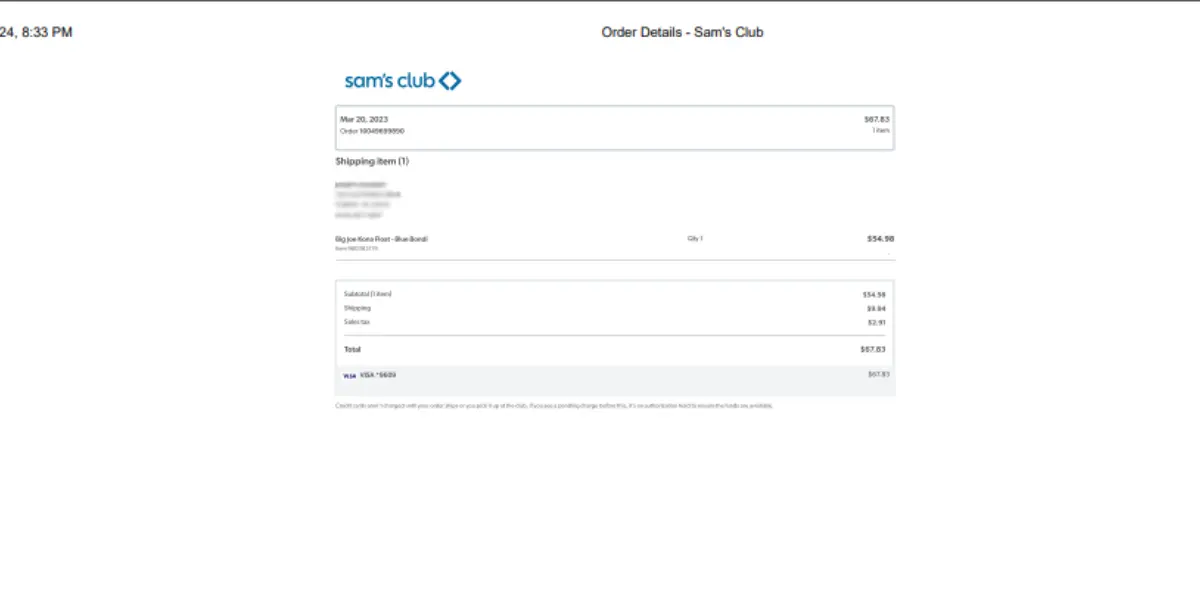 Step 5: view, download, or print the receipt.
Once you find the relevant transaction, you should be able to view more details and access an option to download or print the receipt.
Save your business receipts for 3 years
If you run a small business, get paid via 1099, or file a Schedule C, the IRS has a rule about every business-related receipt: keep it for at least three years after you file the return that includes it.
That's from IRS Publication 583. Three years is the default; some situations stretch to six. The IRS doesn't care that you bought from Sam's Club; they care that you can prove the expense was real, what it was for, and that it was for business.
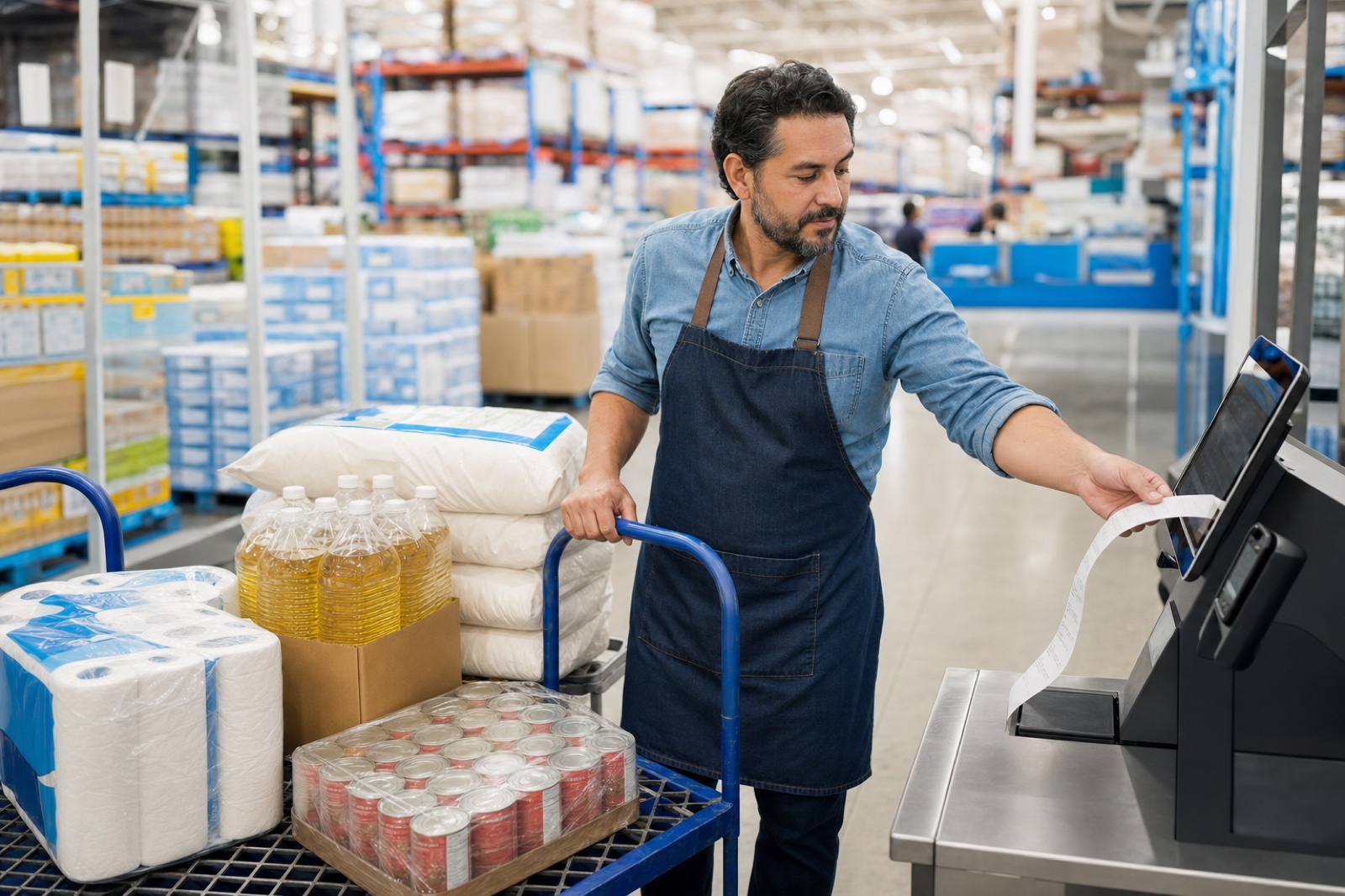
Say you run a small catering business and you made a Sam's Club run last spring for $350 of bulk ingredients (cooking oil, flour, a flat of canned tomatoes, to-go containers) for a wedding job. You deducted them. You also picked up about 20 miles of business driving that day: kitchen to the club, the club to the venue, the venue back home. At the 2026 standard mileage rate of 72.5 cents a mile, that's around $14 in mileage deductions on top of the $350 in supplies. In 2027 or 2028, if the IRS asks, you need to pull up that Sam's Club receipt AND show the mileage log to back it up. "Let me log into my Sam's Club account and find it" works most of the time. It stops working the day the membership lapses, you've changed phones, or the purchase was rung up on someone else's card.
Shoeboxed is the easy way to never lose another receipt
Snap a paper receipt with the Shoeboxed app. Or mail us a shoebox and we scan the whole pile. If your receipts arrive by email, our Gmail Receipt Sync tool watches your inbox and pulls them out for you. We read each one for the store, the date, the total, and the expense category, then file it in your Shoeboxed account. Search by vendor or export the whole pile to your accountant at tax time. No more digging through Sam's Club's order history.
Since 2007, we've processed more than 170,000 Sam's Club receipts. Most belong to restaurants, caterers, daycares, offices, and other businesses that buy food and supplies in bulk. After 170,000 of them, we know what most people miss.
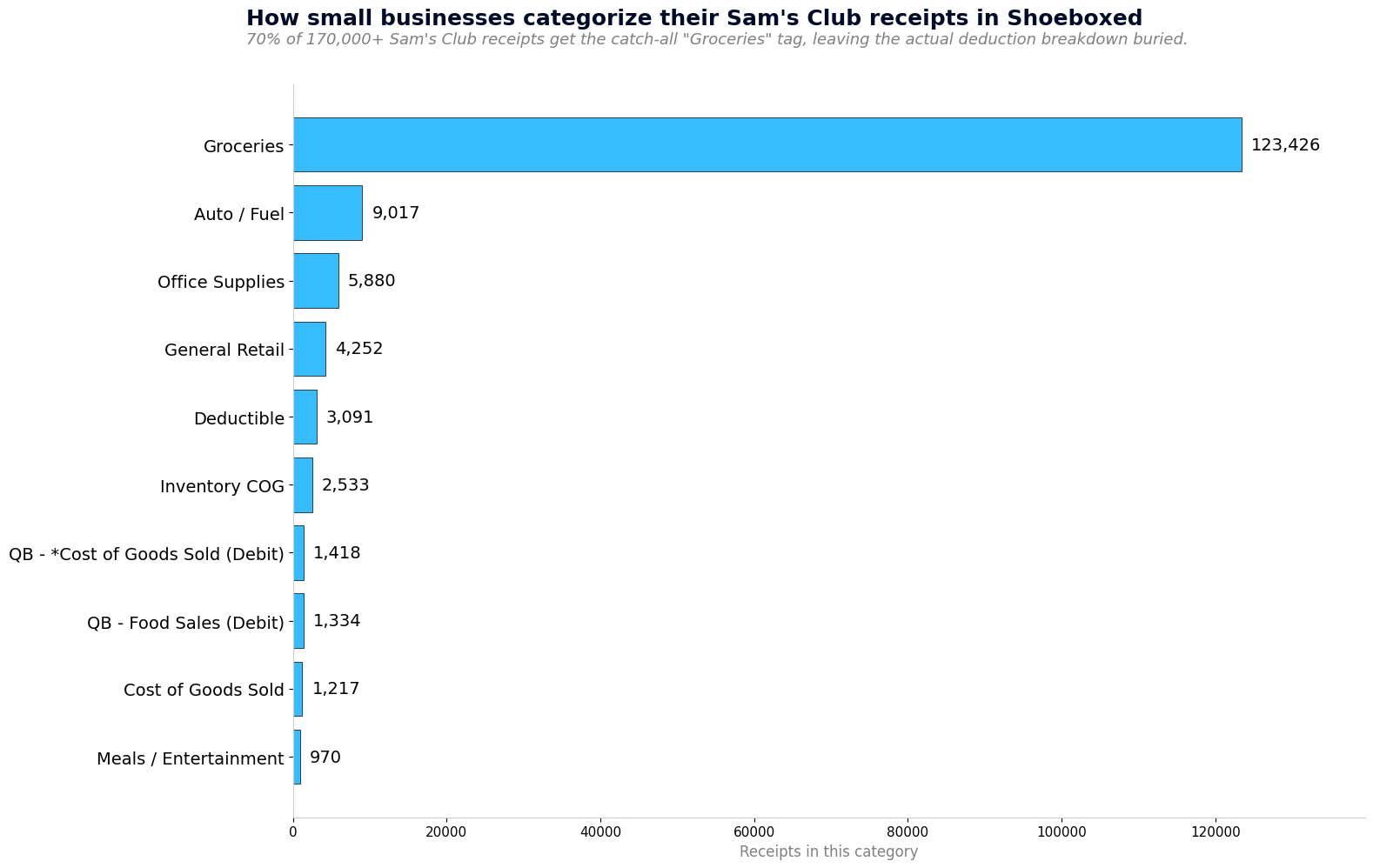 Top categories small businesses use for their Sam's Club receipts in Shoeboxed. 70% get the catch-all 'Groceries' tag instead of tax-useful labels like 'Inventory / COGS' or 'Office Supplies'.
70% of the more than 170,000 Sam's Club receipts we've processed get tagged "Groceries." For a household that's fine. For a business it buries the deduction: a restaurant's case of cooking oil is inventory, an office's snack run is an office expense, and a cleaning crew's paper towels are supplies. The receipts that DO get broken down further (Auto / Fuel, Office Supplies, Inventory) are the ones whose owners are actually capturing deductions.
Two tax deductions you're probably missing on your Sam's Club runs
Two more deductions sit next to every Sam's Club run, and most small-business owners miss them: the drive there (mileage), and the home office where the supplies end up.
Home office
If you work from home even part of the week, a slice of your rent or mortgage, utilities, internet, and home insurance is deductible. Anytime you buy a printer paper by the case, a desk chair, folders, or a filing cabinet at Sam's Club for that home office, those receipts are separate deductions on top of the home office deduction itself.
People still call the home office deduction an audit red flag. It isn't. The IRS killed that risk in 2013 with a flat-rate method that pays $5 per square foot up to 300 square feet (Pub 587), no receipts required. Take the deduction. The chair you bought at Sam's Club for that home office is its own line on Schedule C, separate from the home office deduction itself.
If you've never run the math, take two minutes with our free home office deduction calculator. It pulls your home's square footage from your address and estimates your annual savings. No signup, no email required. Just the number.
Mileage
If you drove to a Sam's Club to grab cases of cooking oil, flour, napkins, and to-go containers for a catering job, that's deductible business mileage. If you drove to a UPS Store to drop off a Sam's Club mail-order return, that's also deductible.
The IRS lets you deduct those drives at the 2026 standard business mileage rate of $0.725 per mile.
If you drove to a charity to drop off donated items you bought at Sam's Club, that drive is also deductible as charity mileage. The charity mileage rate is 14¢ per mile under IRS Publication 526. It's a lower rate than business mileage, but it counts.
The Shoeboxed app logs every drive from your phone's GPS. You don't have to open it. At the end of each day, it texts you the list. Reply which trips were business, medical, or charity, and we save a tax-ready mileage log inside your Shoeboxed account: date, miles, IRS rate, total. At tax time, the document your accountant needs is already done.
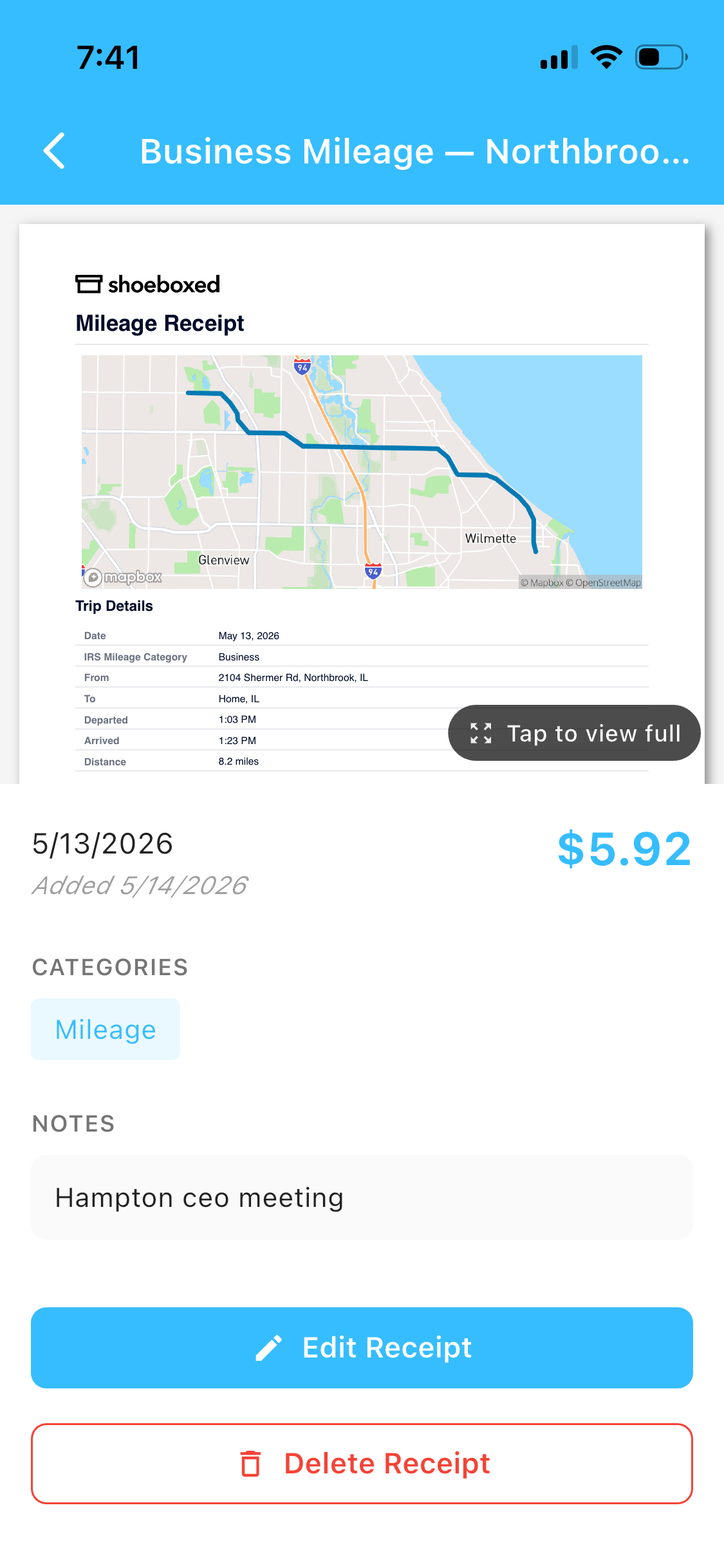 This is a real Shoeboxed mileage receipt. The map and IRS-rate calculation come from GPS, and the trip note came from one SMS reply.
All your options for saving receipts, honestly
Shoeboxed isn't the only way to do this. Here's the honest comparison.
- Shoeboxed app. Snap a pic to log a receipt, and the app tracks your drives via GPS in the background. At the end of each day we text you the trip list, you reply which ones were business, medical, or charity, and we file the mileage receipt. You get both deductions in one app, plus a tax-ready export when you need it. This is the one I'd recommend to a friend. Full disclosure: I bought the company in 2025; I was a customer for years before that.
- Shoeboxed Magic Envelope. Mail us your shoebox of paper receipts; we scan, categorize, digitize. This is the original Shoeboxed service, built for people who still get paper receipts and want them digitized without doing it themselves.
- Email-to-Shoeboxed. For samsclub.com orders, forward the confirmation email to your unique Shoeboxed address and we'll file the receipt automatically. Snap the long paper ones from the club with the app before they fade.
- Paper folder or accordion file. It works, but thermal receipts fade, paper gets lost, and good luck searching the pile when your accountant asks for a specific receipt from March 2024.
- Google Drive or Dropbox. Better than paper alone, worse than a tool built for receipts: no OCR, no categorization, no tax-ready export. A photo gallery isn't a filing cabinet.
- Photos on your phone. Fast and free, with the same trade-offs as Google Drive: your camera roll becomes a mess, and good luck finding the right receipt three years later.
The paper folder works if you actually file the receipts. Most people don't. The Magic Envelope was invented for the shoebox sitting on the kitchen counter.
Frequently asked questions
Can I look up a Sam's Club receipt online?
You can look up a Sam's Club receipt online or through the Sam's Club app. Sign in with your membership credentials, open Purchase History under your account, and every transaction is listed there. Find the purchase, then view, download, or print the receipt.
How long do I need to keep my Sam's Club receipts?
If you deducted the purchase as a business expense, the IRS expects you to be able to show the receipt for at least three years after you filed the return (Pub 583). Some situations stretch to six years. The safest move is to save every business-related receipt as you get it.
Can Shoeboxed organize my Sam's Club receipts automatically?
Yes. Snap a photo of the paper receipt in the app, forward samsclub.com confirmation emails to your Shoeboxed address, or mail a pile of them in a Magic Envelope. We scan them, the software pulls out the vendor, date, and total, and we store the receipt image for as long as you have an account.
Save the next Sam's Club receipt today
The moment a receipt hits your hand is the only easy time to save it. Three years from now, you won't be digging through a shoebox at midnight.
Try Shoeboxed
Pick your platform. Both mobile apps come with a 7-day free trial, and the web signup is a 30-day risk-free trial. If it doesn't save you time, money, or both, you get your money back.


Or sign up online.
About the author. I'm Doug. I bought Shoeboxed in late 2025 with an SBA loan after fifteen years of running other people's companies as CEO. I'd used Shoeboxed myself back in 2010 at a previous gig and called it magical even then. I use it daily now. Small business owners deserve every dollar they're legally entitled to keep, which is why I bought Shoeboxed and work hard to make it better.
30 Seconds Could Save You Thousands on Taxes
Self-employed? Get an instant, personalized tax-savings estimate.




 4.4 / 5 on