Target Receipt: How to Find Yours (and Why You Should Save Them)
Lost a Target receipt? Pull it from your Target account or have any store reprint it. Then save every one for three years. The IRS expects it.

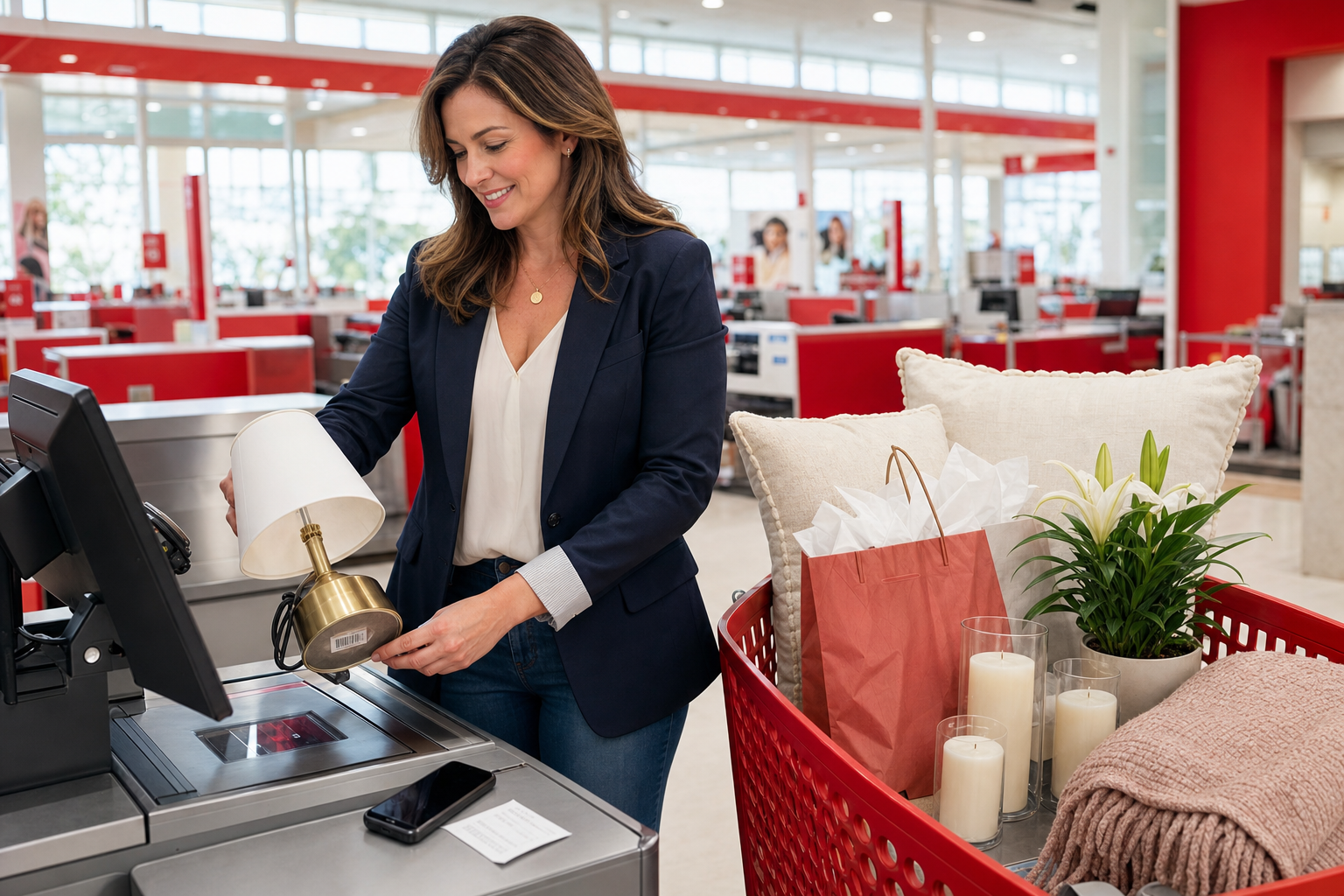
You don't have to call Target or wait in line to find a lost receipt. Target stores every purchase tied to your account (Target Circle, RedCard, or a saved card). You can pull any of them up online or at Guest Services in a couple of minutes.
The quick answer:
- Online (2 min): target.com → sign in → "Orders" → pick the order → "Receipts and invoices."
- Target app (30 sec): "My Target" → "Purchase history" → tap the order.
- Lost in-store receipt: Guest Services can reprint inside 90 days (1 year for RedCard) if you paid by card.
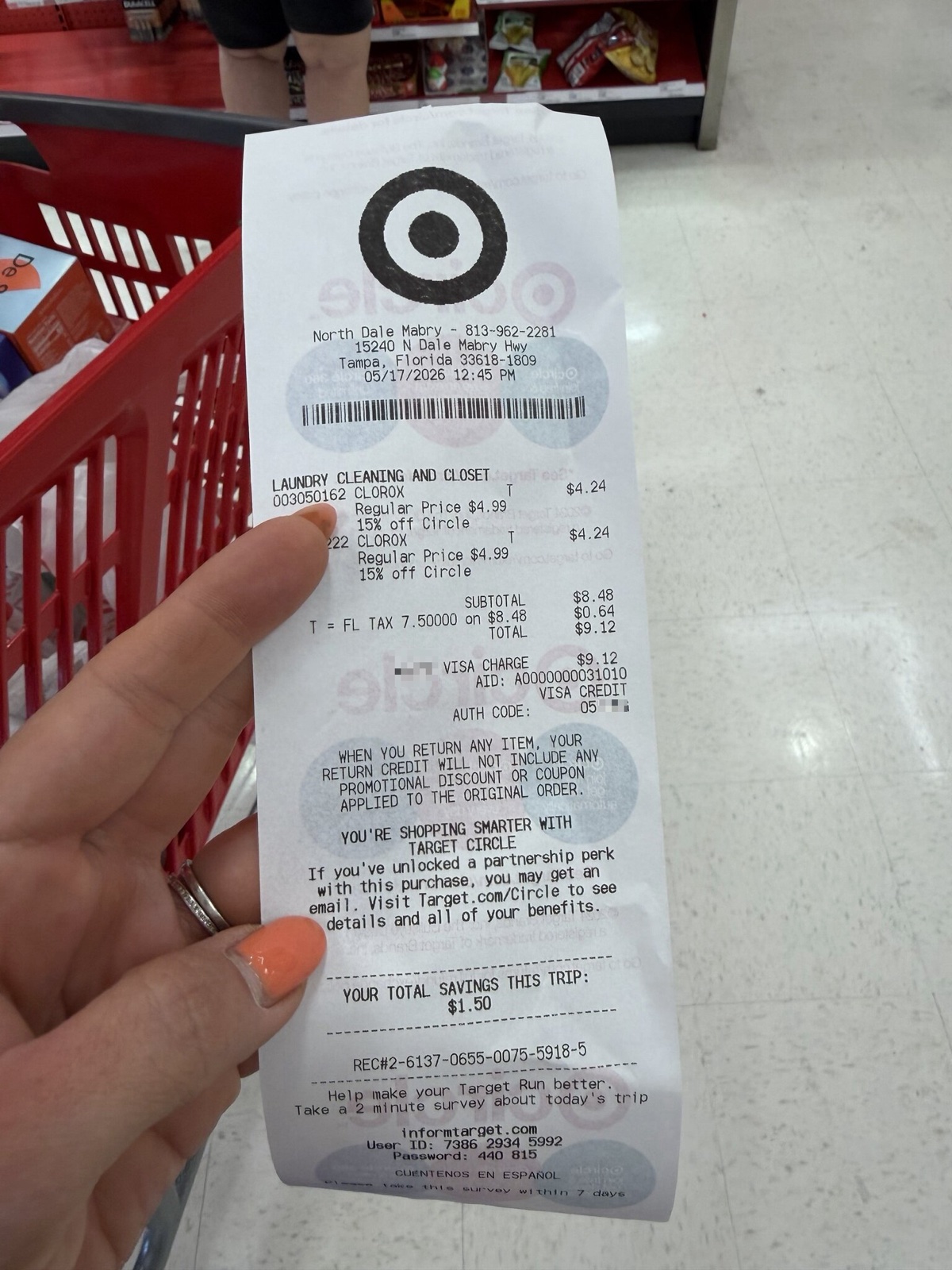 A real Target paper receipt scanned via the Shoeboxed app. PII masked; everything else is the actual receipt.
How to find a Target receipt online
Every Target purchase tied to a Target account (Target Circle, RedCard, or a saved payment method) shows up in your purchase history. Online orders are stored back two years; in-store purchases paid with a linked card show up there too.
Step 1: Sign in at target.com
Go to target.com and sign in. On a computer, click "sign in" in the top right. On a phone, tap the person icon at the bottom right of the screen, then tap "sign in." Use the same email you used at checkout.
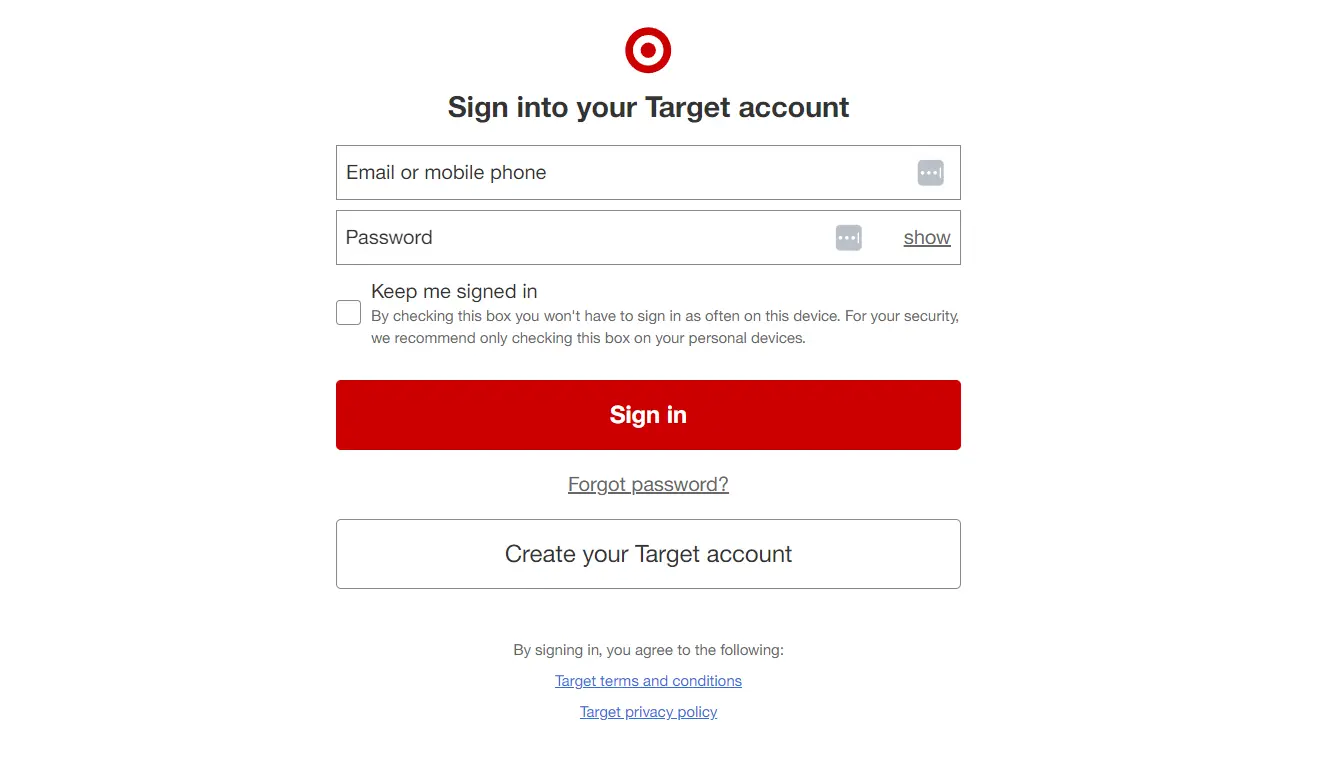 Sign in at the top right of target.com.
Step 2: Open your account menu
Once you're signed in, click the account button at the top right that reads "Hi, [Your Name]." A side panel opens with your account options.
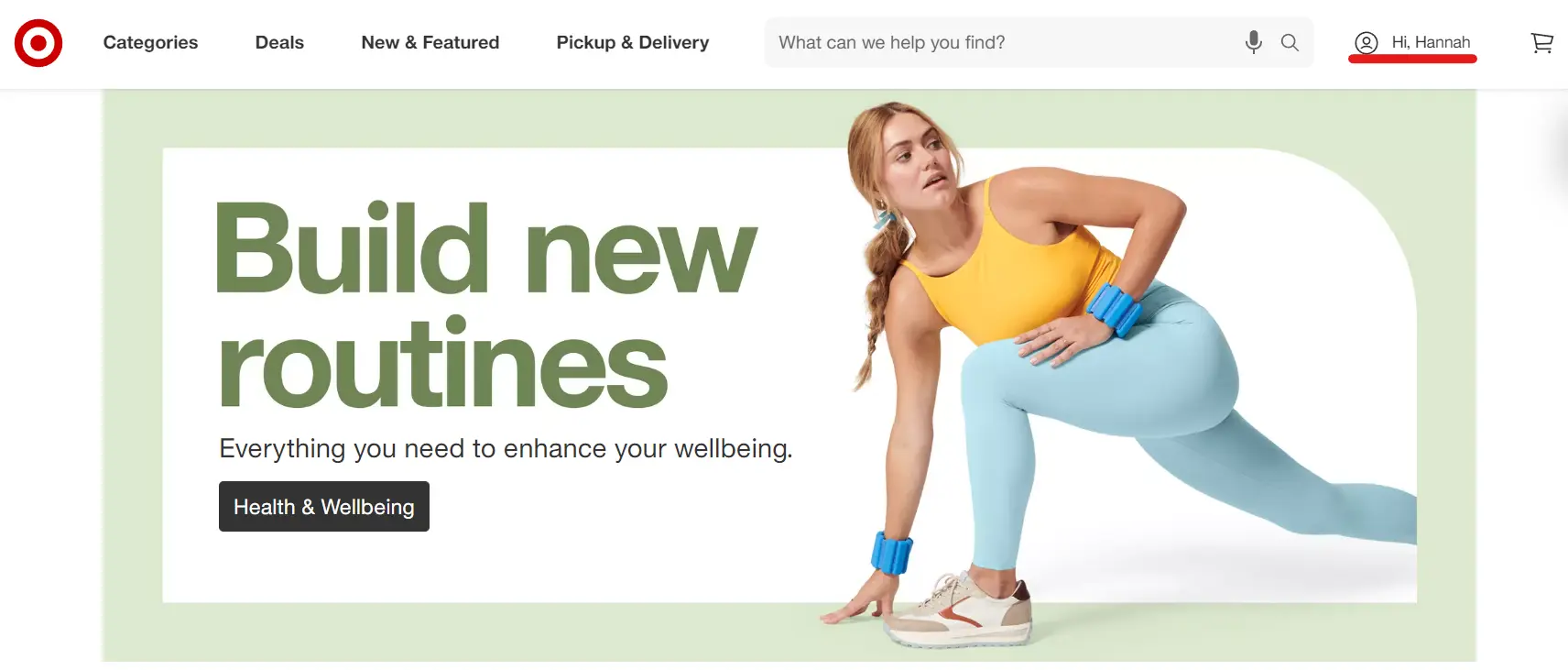 Click your name at the top right to open the account menu.
Step 3: Open your orders
Click "Orders" in the menu. You'll see every online order, plus any in-store purchase paid with a card linked to your account. To pull in past in-store purchases that aren't linked yet, click "add a card" and Target will match transactions for the cards you add.
 Click "Orders" to see your purchase history.
Step 4: View, print, or save the receipt
In the Orders list, tap the order date or store name to open the order detail screen. Scroll down past the item list to the row labeled "Receipts and invoices," then tap "Print receipts." A PDF opens in a new tab. Then:
- Save to phone (iPhone): tap the share icon (the square with an up arrow), then tap "Save to Files."
- Save to phone (Android): tap the three-dot menu in the top right of Chrome (or the three-line menu at the bottom right of Samsung Internet), then tap "Download." The PDF lands in your Downloads folder.
- Email to your accountant: tap the share icon (iPhone) or three-dot menu (Android), then tap "Mail" and type their address.
- Print: tap "Print receipts" and pick a printer from the popup.
How to find a Target receipt in the Target app
The app gets you to the same place in three taps, with one limit: detailed invoices for past purchases live on the website only.
Step 1: Open the app and sign in
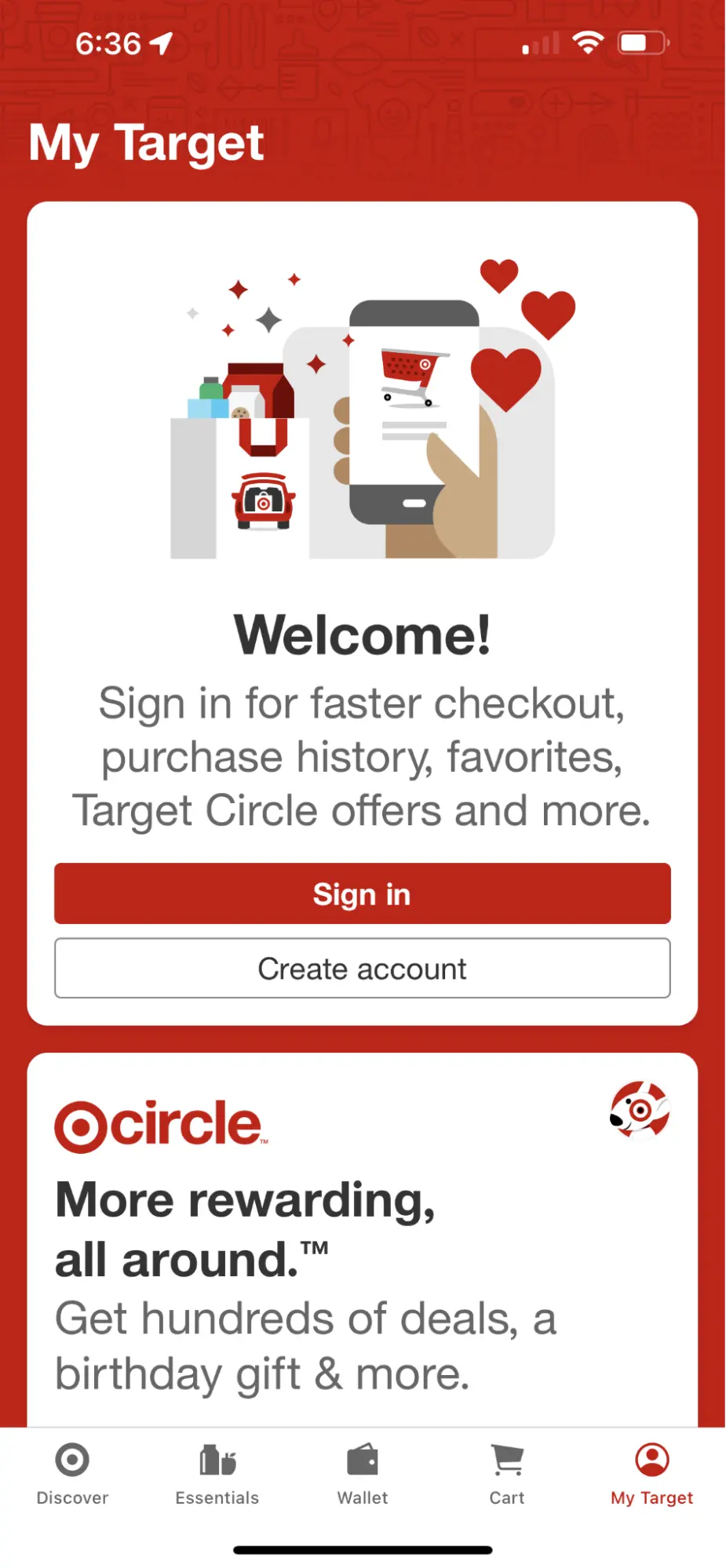 Sign in to the Target app with your email and password or Face ID.
Step 2: Tap "My Target" at the bottom right
The icon looks like a person. Tap it to open your account.
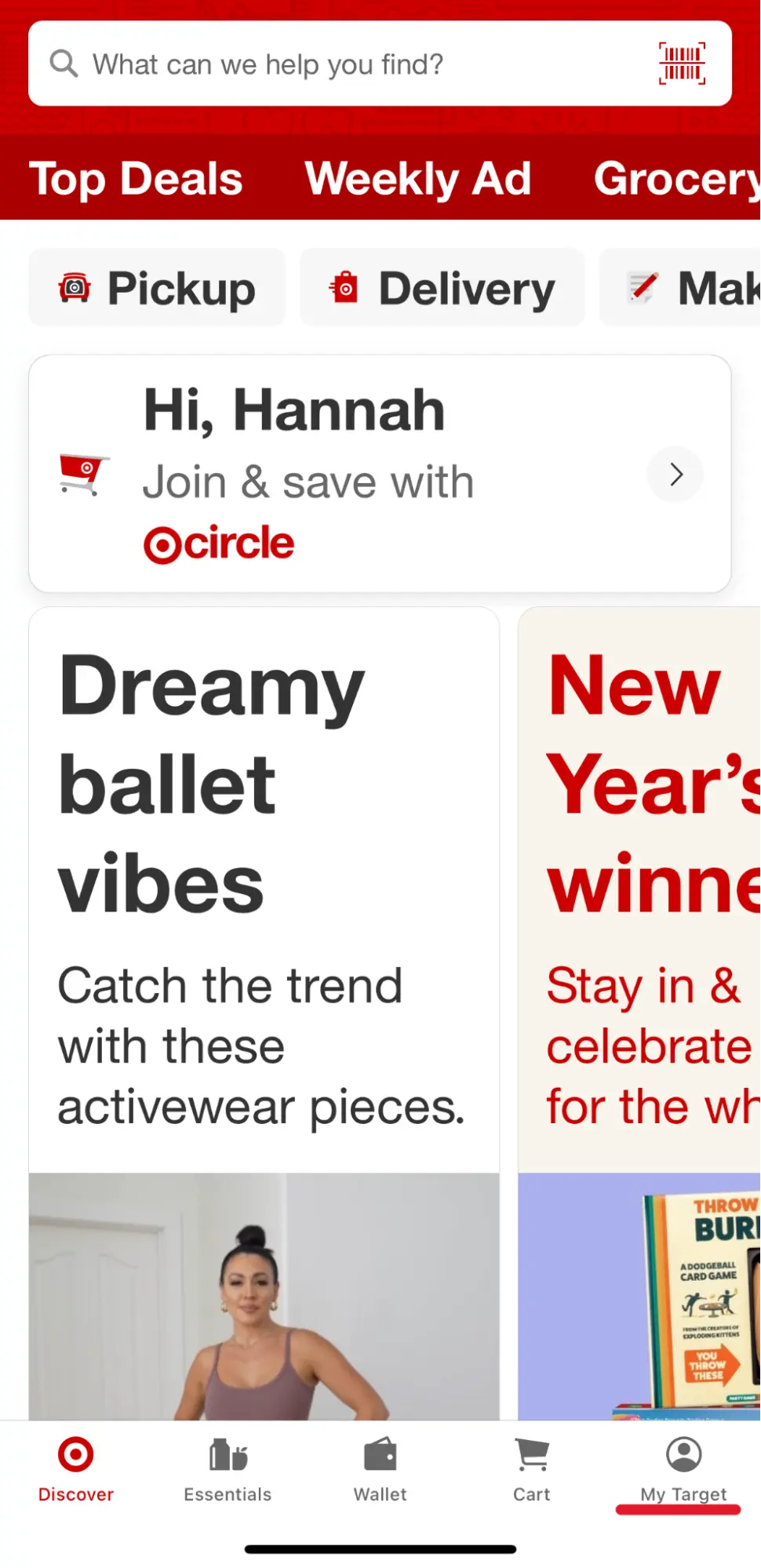 The "My Target" icon at the bottom right of the app.
Step 3: Open Purchase history
On the My Target screen, the first card at the top reads "Purchase history" with a small chevron arrow on the right. Tap anywhere on that card. You'll see online and in-store purchases. Tap any one to see the items, reorder, or start a return.
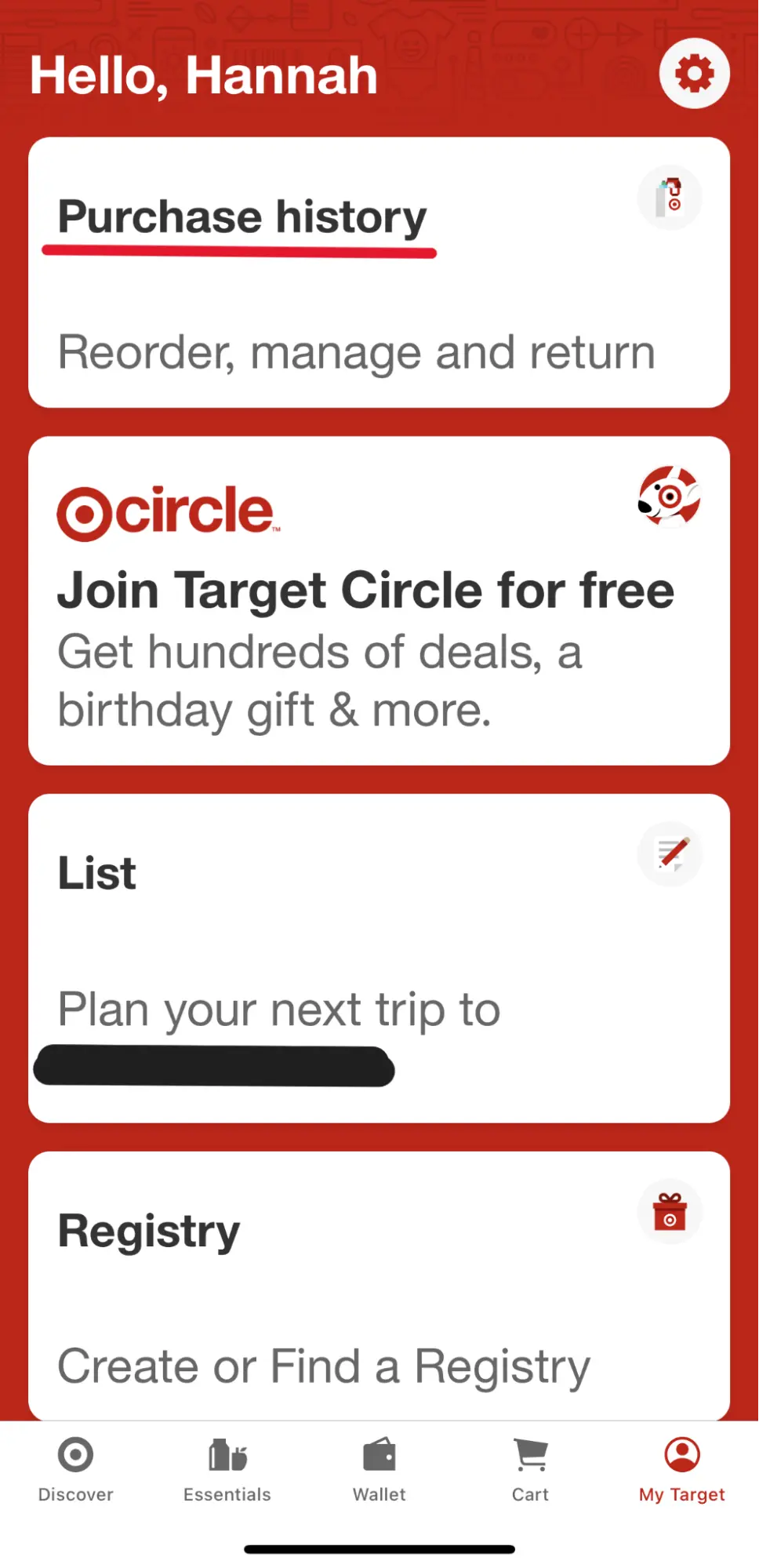 Purchase history in the Target app.
For a full PDF invoice for a past purchase (the one your accountant wants), switch to a computer and follow the website steps above.
How to get a gift receipt for a Target purchase
A gift receipt shows what was bought and where, but hides the price. It lets a recipient return or exchange the item without seeing what you paid.
Sign in at target.com, open "Orders," find the order, and click "Receipts and invoices." Then click "Print receipts" and choose "Print gift receipt." If the order was picked up or delivered, the gift receipt option is also in the confirmation email Target sent you when the order shipped. As a last resort, Target Guest Services can scan the barcode in your app to return or exchange a gift.
Save your business receipts for 3 years
If you run a small business, get paid via 1099, or file a Schedule C, the IRS has a rule about every business-related receipt: keep it for at least three years after you file the return that includes it.
That's from IRS Publication 583. Three years is the default; some situations stretch to six. The IRS doesn't care that you bought from Target; they care that you can prove the expense was real, what it was for, and that it was for business.
Say you're a real-estate agent staging a $600,000 listing last spring. You drove to Target in the morning, spent $240 on throw pillows, candles, a couple of lamps, and a small lily plant for the kitchen counter, then drove the items to the property. On the way home you stopped back at Target for a $60 candle and gift basket, dropped it off at a closing as a thank-you for the buyer, and called it a day.
The $240 staging spend comes straight off your income on Schedule C. The drive (home to Target to the listing to the closing and back) is business mileage at 72.5 cents per mile in 2026. The $60 closing gift is deductible too, with a catch most agents miss: the IRS caps the gift deduction at $25 per recipient per year, no matter what you spent.
Our gift receipt guide covers which copy you keep for the deduction, and which one goes in the gift box.
The same math works for a therapist who buys a $120 throw rug and a $40 lamp for her home office. Both are office furnishings, deductible in full. Or for an Airbnb host who spends $180 on dish towels and mugs to restock a guest kitchen (regular business expense) and leaves a $30 welcome basket on the counter (a gift, capped at $25).
In 2027 or 2028, if the IRS asks, you need those Target receipts on file. "Let me log into Target and find them" works most of the time, until the day you paid with a card that's not linked, paid cash in store, or tossed a busy-day paper receipt before you got home.
Shoeboxed is the easy way to never lose another receipt
Snap a paper receipt with the Shoeboxed app. Or mail us a shoebox and we scan the whole pile. If your receipts arrive by email, our Gmail Receipt Sync tool watches your inbox and pulls them out for you. We read each one for the store, the date, the total, and the expense category, then file it in your Shoeboxed account. Search by vendor or export the whole pile to your accountant at tax time. No more digging through Target's order history.
Since 2007, we've processed more than 440,000 Target receipts. Most belong to small-business owners on one of four runs. Realtors pick up throw pillows, candles, and lamps to stage a listing. Airbnb hosts restock kitchen wares and linens between guests. Solo therapists and consultants buy lamps and shelving for the home office. Event planners grab serving trays and decor for a client party. We've seen what most people miss.
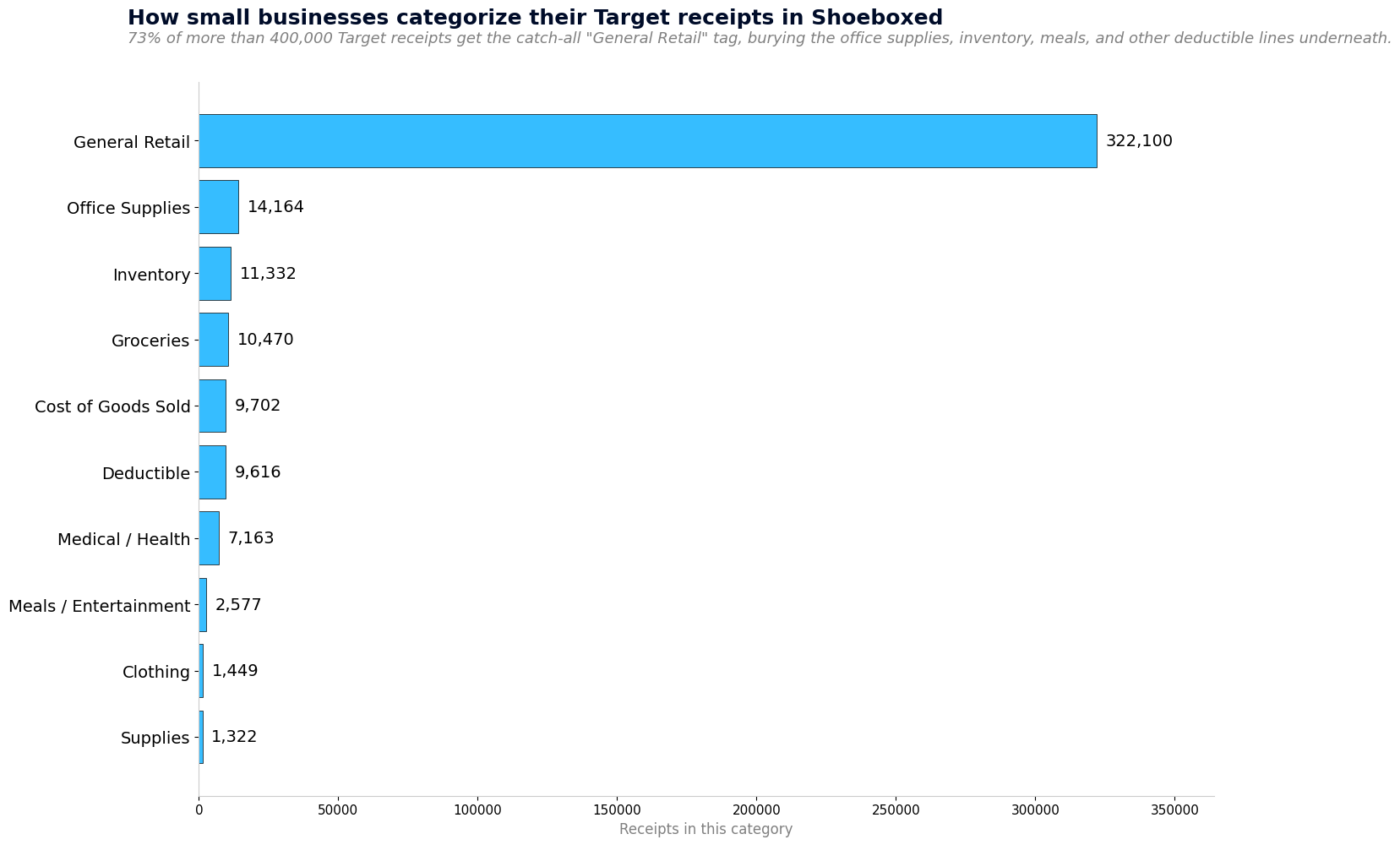 Top categories small businesses use for their Target receipts in Shoeboxed. 73% get the catch-all 'General Retail' tag, the highest concentration in our entire brand-receipt cluster, which buries the office supplies, inventory, business meals, and other deductible lines that are sitting underneath.
When we scan a Target receipt, our software guesses a category for you. Three out of four guesses land in "General Retail," a generic bucket that gets used more often for Target than for any other retailer we scan. The reason is honest: one Target basket might hold staging pillows, a closing gift, printer paper, and a kombucha. Our software picks the safest tag. That's fine for filing, but if you want the office-supplies deduction or the inventory deduction broken out for your accountant, change the category in two clicks. Most people forget. The smaller bars on the chart are the real story: Office Supplies, Inventory, Meals, Medical, Clothing, Supplies. Every one is a deduction the "General Retail" tag hides.
Two tax deductions you're probably missing on your Target runs
Two more deductions sit next to every Target run, and most small-business owners miss them: the drive there (mileage), and the home office where the supplies end up.
Home office
If you work from home even part of the week, a slice of your rent or mortgage, utilities, internet, and home insurance is deductible. Anytime you buy a desk lamp, shelving unit, office chair, throw rug, or a printer at Target for that home office, those receipts are separate deductions on top of the home office deduction itself.
People still call the home office deduction an audit red flag. It isn't. The IRS killed that risk in 2013 with a flat-rate method that pays $5 per square foot up to 300 square feet (Pub 587), no receipts required. Take the deduction. The chair you bought at Target for that home office is its own line on Schedule C, separate from the home office deduction itself.
If you've never run the math, take two minutes with our free home office deduction calculator. It pulls your home's square footage from your address and estimates your annual savings. No signup, no email required. Just the number.
Mileage
If you drove to a Target to grab staging supplies, kitchen wares for an Airbnb turnover, or office decor, that's deductible business mileage. If you drove to a UPS Store to drop off a Target mail-order return, that's also deductible.
The IRS lets you deduct those drives at the 2026 standard business mileage rate of $0.725 per mile.
If you drove to a charity to drop off donated items you bought at Target, that drive is also deductible as charity mileage. The charity mileage rate is 14¢ per mile under IRS Publication 526. It's a lower rate than business mileage, but it counts.
The Shoeboxed app logs every drive from your phone's GPS. You don't have to open it. At the end of each day, it texts you the list. Reply which trips were business, medical, or charity, and we save a tax-ready mileage log inside your Shoeboxed account: date, miles, IRS rate, total. At tax time, the document your accountant needs is already done.
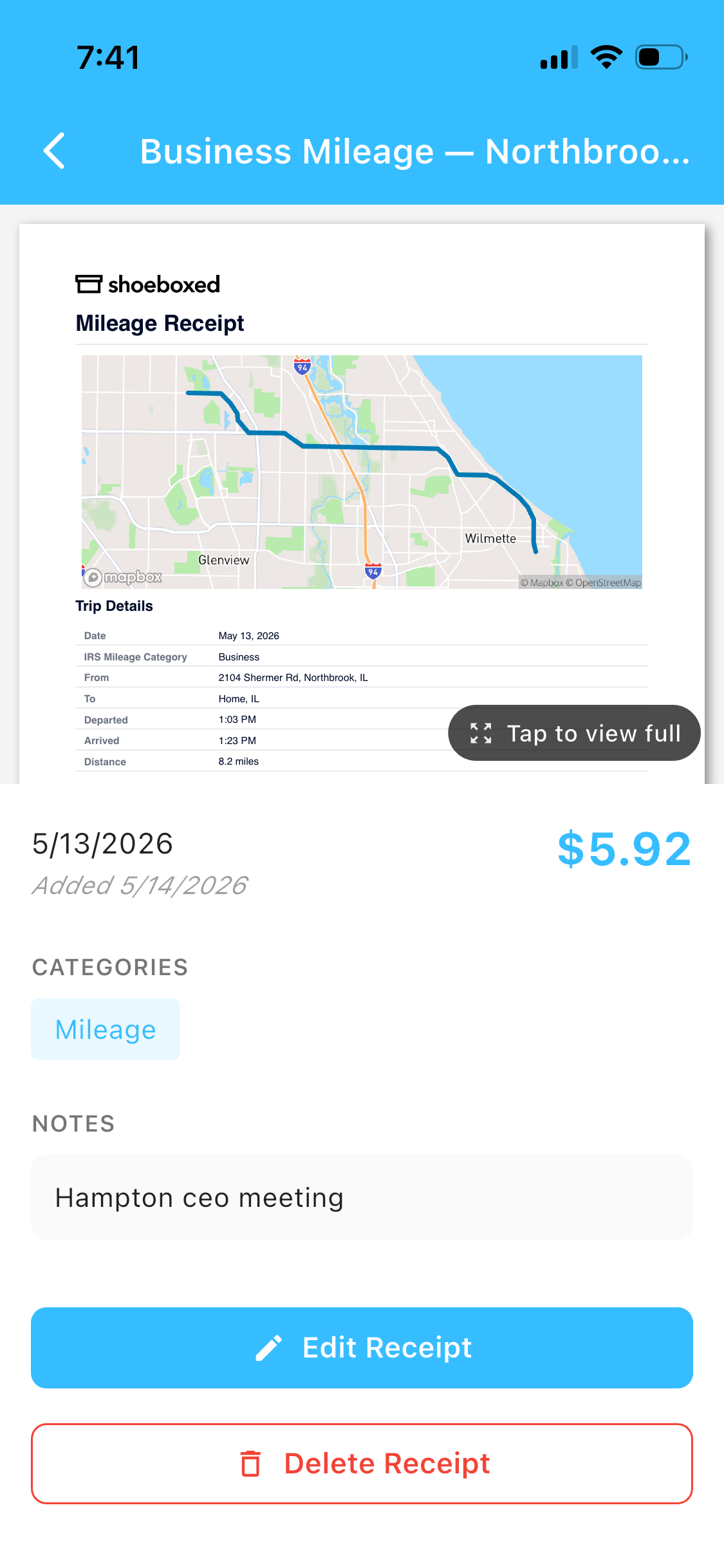 This is a real Shoeboxed mileage receipt. The map and IRS-rate calculation come from GPS, and the trip note came from one SMS reply.
Client gifts
If you bought a closing gift, a thank-you basket, or a client welcome present at Target, that's a deductible business gift. The catch: the IRS caps the deduction at $25 per recipient per year. Congress wrote that $25 cap into the tax code in 1962, and it hasn't moved since. A $60 candle and gift basket for a buyer is a $25 deduction. A $200 housewarming basket is still a $25 deduction. The Target receipt is how you prove what was bought, when, and for whom. Write the client's name on the back the same day you buy it. IRS Publication 463 spells out the rule in plain English.
 A realtor's closing-gift basket. The IRS caps the business gift deduction at $25 per recipient per year. The Target receipt is how you prove what was bought, when, and for whom.
All your options for saving receipts, honestly
Shoeboxed isn't the only way to do this. Here's the honest comparison.
- Shoeboxed app. Snap a pic to log a receipt. The app also tracks your drives via GPS automatically. At the end of each day we text you the trip list, you reply which ones were business, medical, or charity, and we file the mileage receipt. You get both deductions in one app, plus a tax-ready export when you need it. This is the one I'd recommend to a friend. Full disclosure: I bought the company in 2025; I was a customer for years before that.
- Shoeboxed Magic Envelope. Mail us your shoebox of paper receipts; we scan, categorize, digitize. This is the original Shoeboxed service, built for people who still get paper receipts and want them digitized without doing it themselves.
- Email-to-Shoeboxed. Target emails the order confirmation for every online purchase. Forward those to your unique Shoeboxed address and we'll file the receipt automatically. For in-store purchases, the receipt is emailed to the address on your Target Circle account if you scanned your wallet code at checkout, so we'll catch that one too. If you forgot to scan, snap the paper receipt with the Shoeboxed app on the spot.
- Paper folder or accordion file. It works, but thermal receipts fade in a year or two, paper gets lost, and good luck searching the pile when your accountant asks for a specific receipt from March 2024.
- Google Drive or Dropbox. Better than paper alone, worse than a tool built for receipts: no OCR, no categorization, no tax-ready export. A photo gallery isn't a filing cabinet.
- Photos on your phone. Fast and free, with the same trade-offs as Google Drive: your camera roll becomes a mess, and good luck finding the right receipt three years later.
The paper folder works if you actually file the receipts. Most people don't. The Magic Envelope was invented for the shoebox sitting on the kitchen counter.
Frequently asked questions
Can I look up a Target receipt online without my paper copy?
Yes. Sign in to target.com, click your name at the top right, and choose "Orders." Every online order and any in-store purchase paid with a card linked to your Target Circle account shows up there. Online orders go back two years. For in-store purchases not yet linked, click "add a card" and Target will match transactions for the cards you add.
Can Target reprint an in-store receipt I lost?
Yes, but only inside the return window and only if you paid with a card or check. Walk up to Guest Services (the desk near the front entrance, opposite the registers). Say "I lost a receipt, can you reprint it from my card?" Hand them the same card you paid with and tell them the date if you remember it. They look it up on their register and print a duplicate in under a minute. The window is 90 days for most cards, a year for the Target RedCard. If you paid cash, they cannot look it up because there is no record tied to you. (One rule of thumb: pay business purchases on a card so the receipt is always recoverable.) Past the window, Guest Services will tell you they cannot reprint. Pull up the email Target sent to the address on your Target Circle account instead. Same info, same proof.
How long do I need to keep my Target receipts?
If you deducted the purchase as a business expense, the IRS expects you to be able to show the receipt for at least three years after you filed the return (Pub 583). Some situations stretch to six years. For staging supplies, client gifts, and Airbnb turnovers, save every one.
Are closing gifts and client gifts from Target deductible?
Yes, with a cap. The IRS lets you deduct business gifts at $25 per recipient per year under IRC §274(b)(1). A $60 candle and gift basket for a closing buyer is a $25 deduction. A $200 housewarming basket is still a $25 deduction. The cap has not changed since Congress wrote it into the tax code in 1962. The Target receipt is what proves what was bought and for whom.
What about Airbnb welcome baskets, same rule?
Same rule. The same $25 gift cap applies whether you file your business income on Schedule C (most small businesses) or Schedule E (rental income, like Airbnb). The rule doesn't care which form you use. Save the Target receipt for every welcome basket and stock-up turnover.
Does the Target app show receipts for in-store purchases?
Yes, if the purchase is tied to your Target Circle account or a linked card. Open the app, tap "My Target" at the bottom right, then tap "Purchase history." Online orders, store pickups, and any in-store purchase paid with a card linked to your account all show up. For a full PDF invoice for an accountant, switch to a computer. Detailed invoices are on the website only.
Save the next Target receipt today
The moment a receipt hits your hand is the only easy time to save it. Three years from now, you won't be digging through a shoebox at midnight.
Try Shoeboxed
Pick your platform. Both mobile apps come with a 7-day free trial, and the web signup is a 30-day risk-free trial. If it doesn't save you time, money, or both, you get your money back.


Or sign up online.
About the author. I'm Doug. I bought Shoeboxed in late 2025 with an SBA loan after fifteen years of running other people's companies as CEO. I'd used Shoeboxed myself back in 2010 at a previous gig and called it magical even then. I use it daily now. Small business owners deserve every dollar they're legally entitled to keep, which is why I bought Shoeboxed and work hard to make it better.
30 Seconds Could Save You Thousands on Taxes
Self-employed? Get an instant, personalized tax-savings estimate.




 4.4 / 5 on