How do I print receipts from one category?
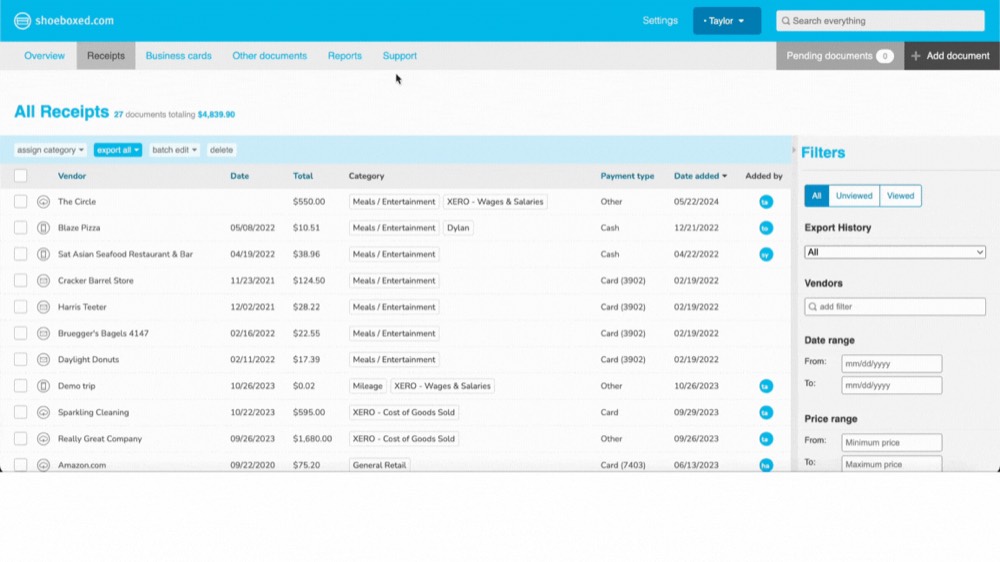
Step 1. In your account, go to Receipts.

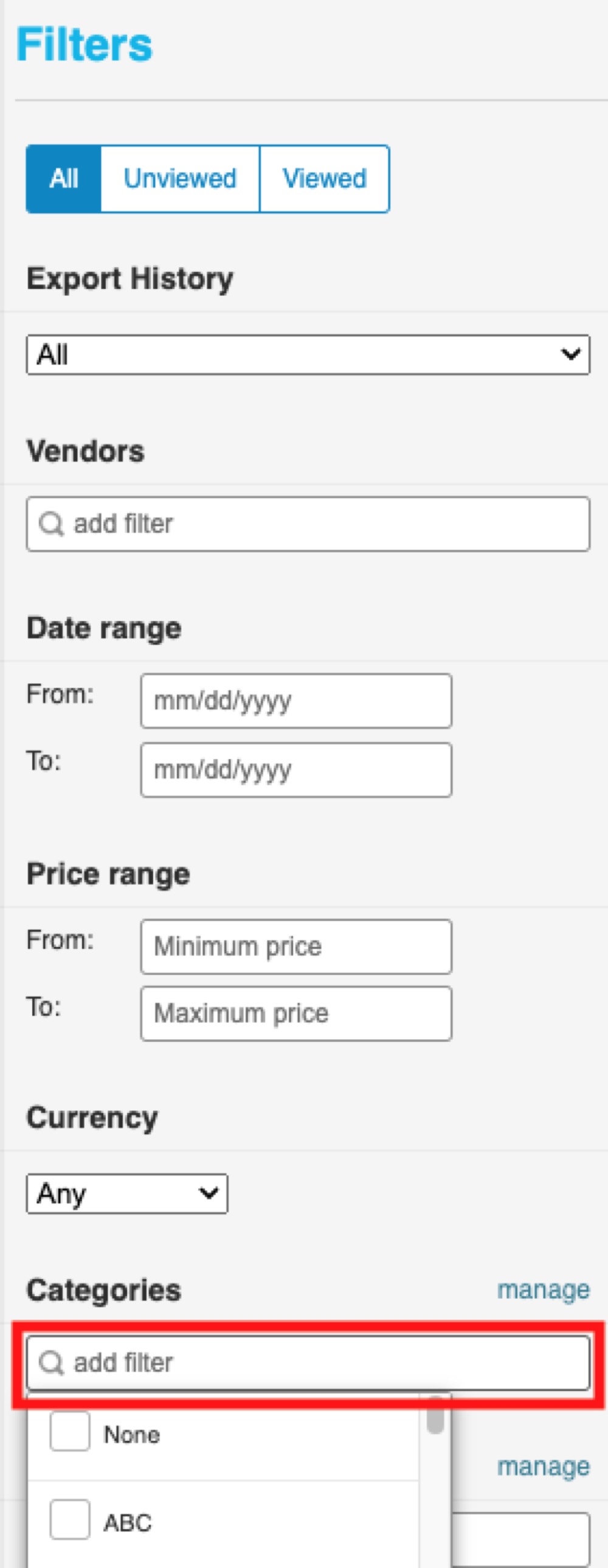
Step 2. In the Filters section, go to Categories and click on add filter.
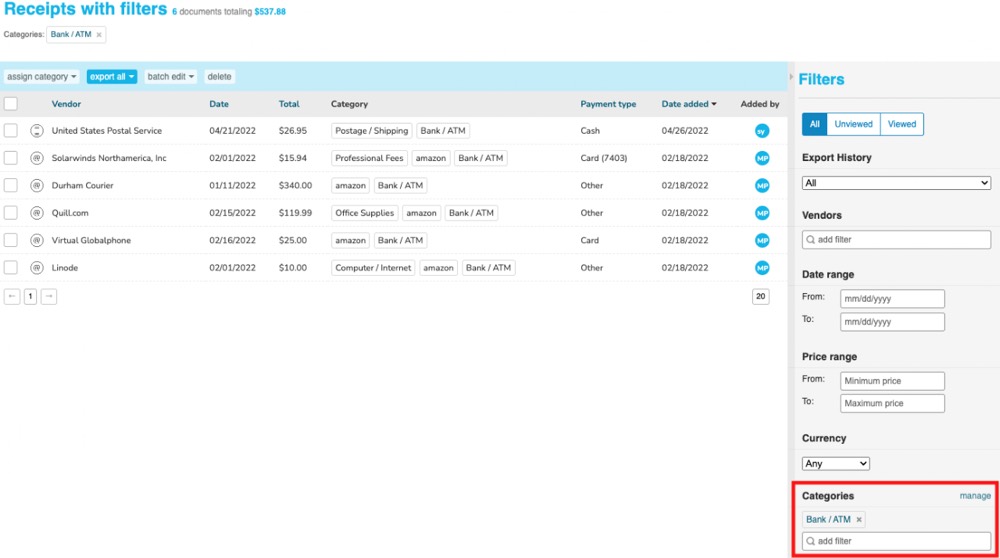
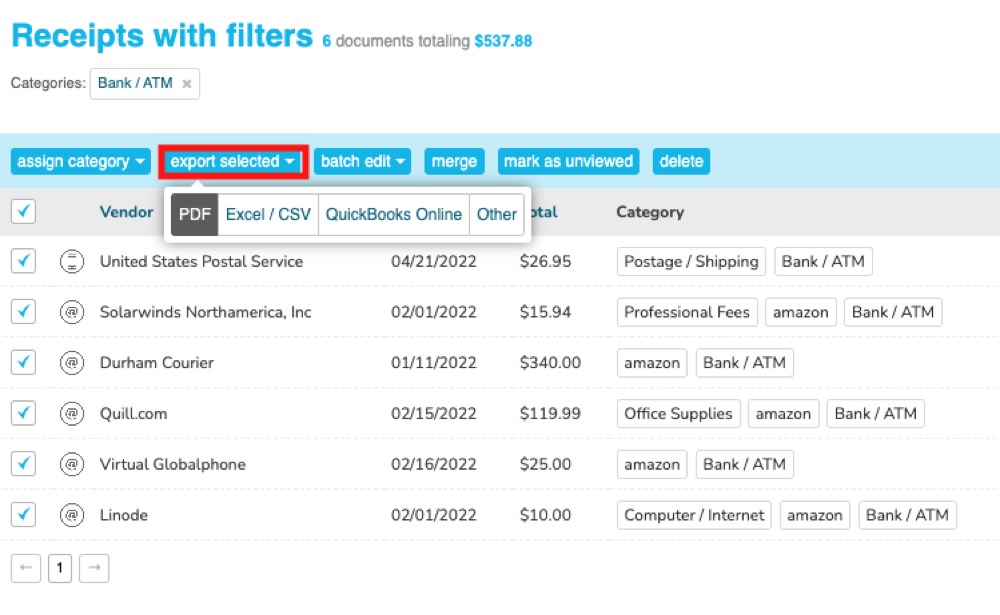
Step 3. Select the category you want to print. The receipts tagged with this category will appear in the main view.
Step 4. Click on the top checkbox under assign category to select all of the receipts.
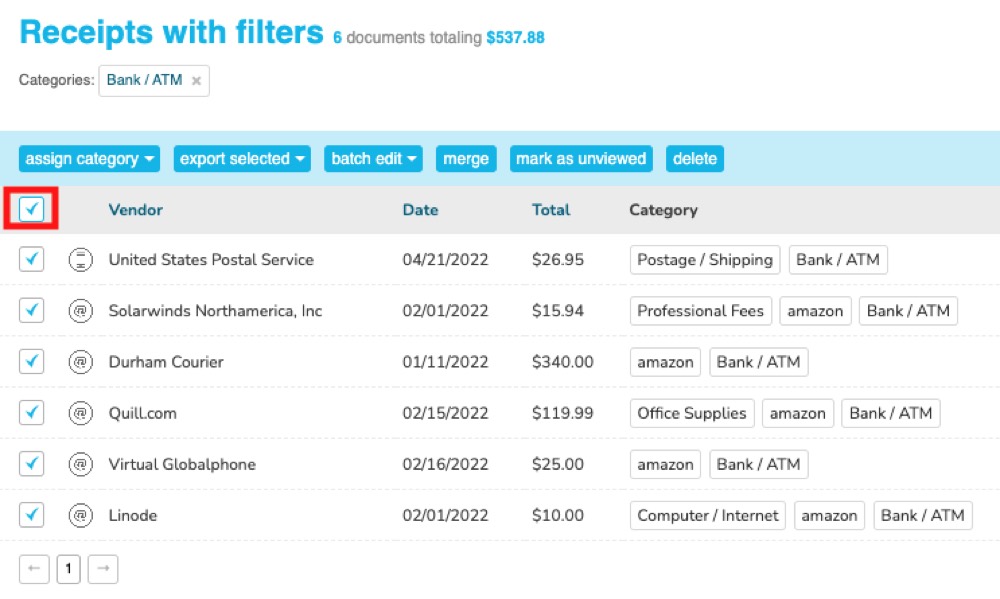
Step 5. Click on Export Selected and choose PDF.
Step 6. Once you have downloaded the PDF, you’ll be able to print the receipts within the report you downloaded.